Home " Recharge Guide

Hafilat Card Recharge €” Every Method Explained

Top up your Abu Dhabi bus card online, via app, at a station machine, or at a retail counter. Pick the method that works for you right now.

Online Cash Bank Card Instant Activation

Overview of Recharge Options

Keeping your Abu Dhabi bus card topped up ensures a smooth and uninterrupted journey across the emirate. Whether you prefer handling your transactions digitally from the comfort of your home or like the reliability of physical top-ups while waiting for your bus, the Integrated Transport Centre (ITC) provides multiple accessible avenues. We've broken down all four primary methods for recharging your Hafilat card.

Method 1 €” Online & App Recharge

Digital recharges are convenient but require a small extra step to finalise the transaction.

  1. Log In: Sign into the Darb app or visit hafilat.darb.ae.
  2. Select Card: Enter your Hafilat card serial number or select a linked card.
  3. Choose Amount: Tap Recharge / Top Up and pick your desired amount (keep in mind minimum/maximum constraints).
  4. Pay: Complete the transaction securely using a debit or credit card.
  5. Crucial Step: Your credit is now marked as pending. To activate it, you must perform one validator tap on a bus within Abu Dhabi.
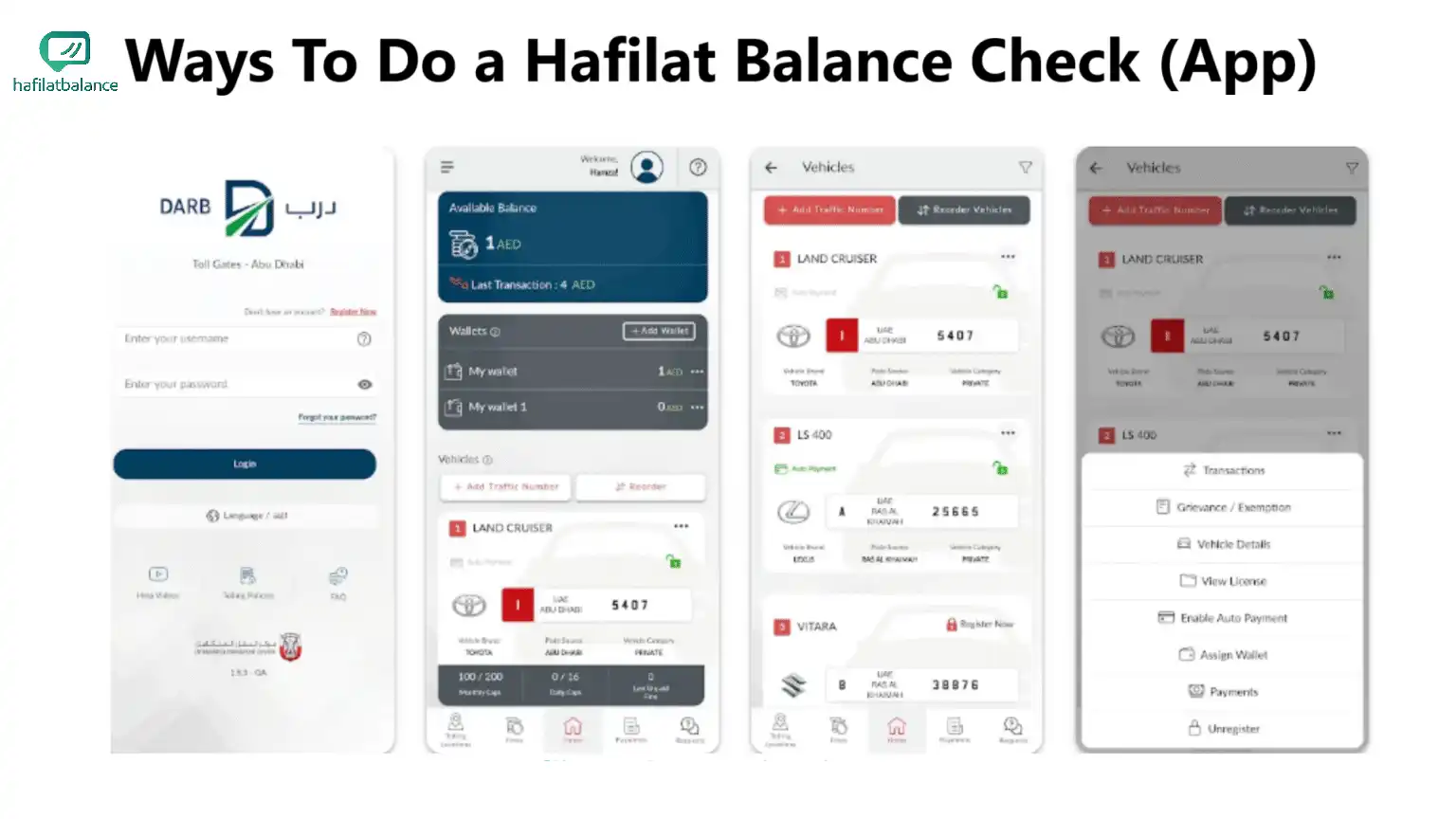
Darb App recharge steps

Method 2 €” Station Machine Recharge

If you prefer instant activation and paying with cash, station Ticket Vending Machines (TVMs) are the perfect choice.
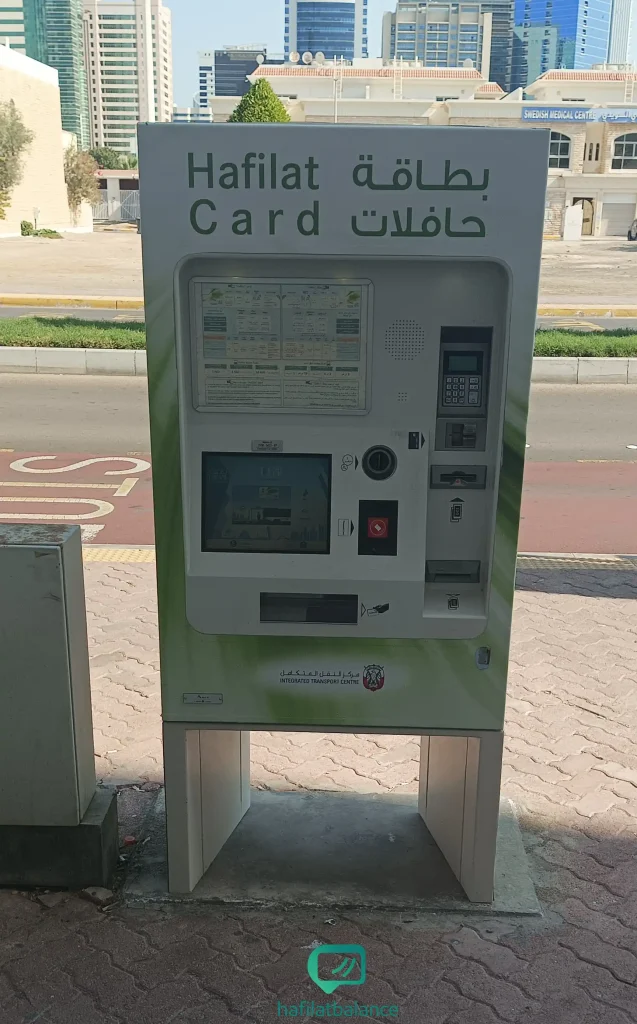
Hafilat vending machine
  1. Locate a Machine: Find a Hafilat TVM at any major bus station or stop.
  2. Insert Card: Tap or insert your Hafilat card into the designated slot.
  3. Select Recharge: Choose the top-up option and enter your desired amount.
  4. Make Payment: Insert physical cash or tap your bank card on the terminal.
  5. Collect Receipt: Your card balance is instantly updated and active. Take your receipt for reference.

Method 3 €” Retail Partners

Many authorised retailers, supermarkets, and service counters across Abu Dhabi can top up your card.

  • Hand your Hafilat card to the cashier and specify the recharge amount.
  • Payment methods vary by location€”some are cash-only, while others accept bank cards.
  • Always verify your new balance on the counter terminal before leaving the store.

Method 4 €” Customer Service Centres

For extensive needs, the official ITC Customer Service Centres provide full support. This method is ideal if you are looking to do a large bulk top-up, need a card replacement, or are experiencing complex issues with your account. Remember to bring a valid ID when visiting these centres.
Recharge Methods Comparison

Method Online Needed Cash Accepted Instant Activation Recharge Limit Notes
Online / Darb App Yes No Requires Tap Subject to ITC minimum/maximums
Station Machine (TVM) No Yes Yes Depends on machine cash acceptance
Retail Partners No Yes Yes Flexible based on retailer
Customer Service Centres No Yes Yes Best for bulk transactions

Accepted Payment Methods

Flexible ways to pay for your journey

€™

Debit & Credit Cards

Visa and Mastercard are widely accepted across the Darb app, hafilat.darb.ae, and most station machines.

Digital Wallets

Apple Pay and Samsung Pay are supported where available, making mobile top-ups seamless and secure.

€™

Cash

Use precise change at Ticket Vending Machines (TVMs) or hand cash directly to retail partner cashiers.

€™

Mobile Wallets

Direct wallet integrations via the Darb ecosystem for frequent commuters looking for one-click recharges.

Important: The After-Recharge Process

Pending Credit: When you recharge online, the money is instantly debited from your bank but placed in a "pending" state by the system.

Because the physical Hafilat card holds the balance chip, the system must write the new data to it. This happens during a validator sync. When you tap your card on the bus validator for the first time after an online top-up, it downloads the pending credit to your card simultaneously with your check-in.

What if the balance doesn't update?

If you experience issues where the validator doesn't immediately reflect the new balance:

  • Hold the card steadily against the reader for an extra second to ensure the data transfer completes.
  • Always keep your payment receipt or digital transaction email as proof of recharge.
  • If it fails repeatedly, you may need to visit a TVM or service centre to force the sync.

The Validator Tap

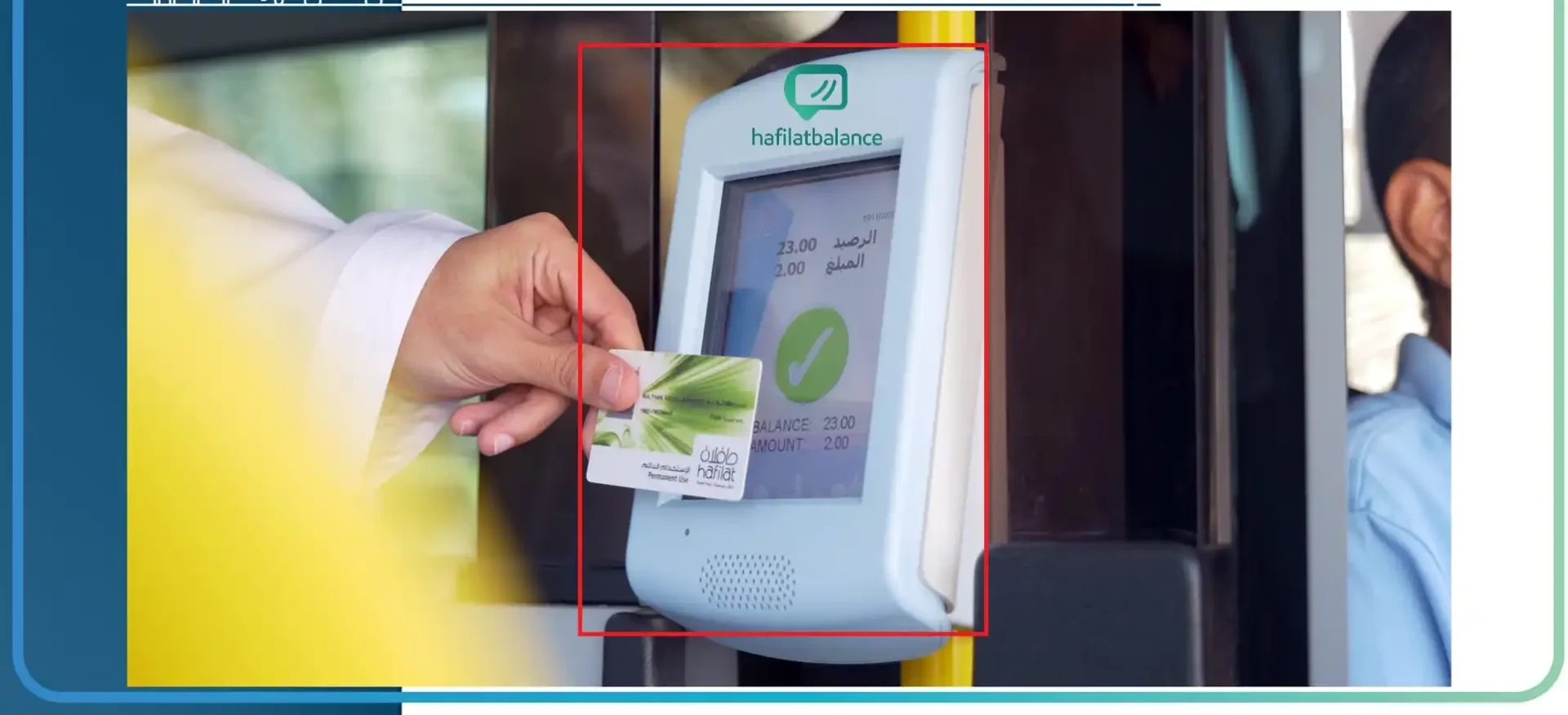
The green card readers on board Abu Dhabi buses are your gateway to activating online credit. Make sure to tap firmly upon boarding and disembarking.

Hafilat on-bus validator

Minimum & Maximum Recharge Amounts

The Integrated Transport Centre (ITC) imposes specific limits on how little or how much you can top up your card to ensure smooth operations and prevent misuse. Direct limits can change, but online minimums typically start around AED 10 to AED 20. For the absolute latest figures regarding top-up caps, we advise checking the official hafilat.darb.ae portal before your transaction.

Frequently Asked Questions

The minimum recharge amount is determined by the ITC. Usually, online top-ups require a base minimum of AED 10 or 20, whereas machines may accept smaller exact change depending on the type of machine. Check the Darb portal for current specific limits.

No, you cannot recharge with cash online. Cash payments are only accepted at physical Ticket Vending Machines (TVMs) at bus stations and authorised retail partner counters.

Online recharge is processed instantly but requires a sync to activate on the card. The credit will remain 'pending' until you physically tap your Hafilat card on a bus validator.

Yes, absolutely. You only need the serial number on the back of the Hafilat card to process a top-up online or at a machine. No personal ID is required for a standard recharge.

If a transaction fails during an online top-up but you are charged, the amount is usually reversed automatically within a few business days. Contact ITC support with your transaction reference if the issue persists.

Refunds on existing card balance are generally not provided. If your card is registered and you lose it, the remaining balance can be transferred to a new replacement card at a customer service centre.

Ready to travel?

Find machines, manage your balance, or grab the app.