Abu Dhabi Public Transport Card Guide

Hafilat Balance
Check & Recharge

Four quick ways to check your Abu Dhabi Hafilat card balance and top up — Darb app, official website, station machines, or bus validators. Clear steps, no guesswork.

4
Ways to Check
<1 min
Online Balance Check
Free
Balance Enquiry
Validating card number" —
Securing connection" —
Linking to Darb portal" —
Redirecting now" —

Spaces added automatically. We never store card numbers.
Independent guide — not affiliated with ITC or Darb.

Four Ways to Check Your Hafilat Balance

Every Hafilat cardholder has access to multiple balance-checking options. Choose the one that fits where you are and what you have available.

Recommended

Darb App

The official ITC app for Abu Dhabi public transport. Add your card serial, see your balance instantly, recharge, and set low-balance alerts — all in one place.

✓ Balance ✓ Recharge ✓ History ✓ Alerts
Official Website

hafilat.darb.ae

The official ITC web portal. Enter your card serial number under Balance Enquiry to view your current credit and recharge status — no app required.

✓ Balance ✓ Recharge No App Needed
Station Machine

Station Machines

Ticket vending and balance inquiry machines at Abu Dhabi bus stations accept your physical card. Tap or insert to view remaining credit and recharge with cash or bank card.

✓ Balance ✓ Recharge Cash Accepted
On-Board

Bus Validator

Tap your Hafilat card on the validator when boarding to see a brief on-screen balance display. Useful for a quick check while already on the bus — no recharge possible.

✓ Quick Balance No Recharge
Method Requires Shows Balance Can Recharge Best For
Darb App Account + card serial ✓ Yes ✓ Yes Daily checking & management
hafilat.darb.ae Card serial ✓ Yes ✓ Yes Online check without app
Station Machine Physical card ✓ Yes ✓ Yes When at a bus stop
Bus Validator Physical card Briefly on tap ✗ No Quick on-board glance

How to Check Hafilat Balance Online

Verify your Abu Dhabi bus card credit in under a minute using the official ITC portal — no account needed for a basic balance enquiry.

1

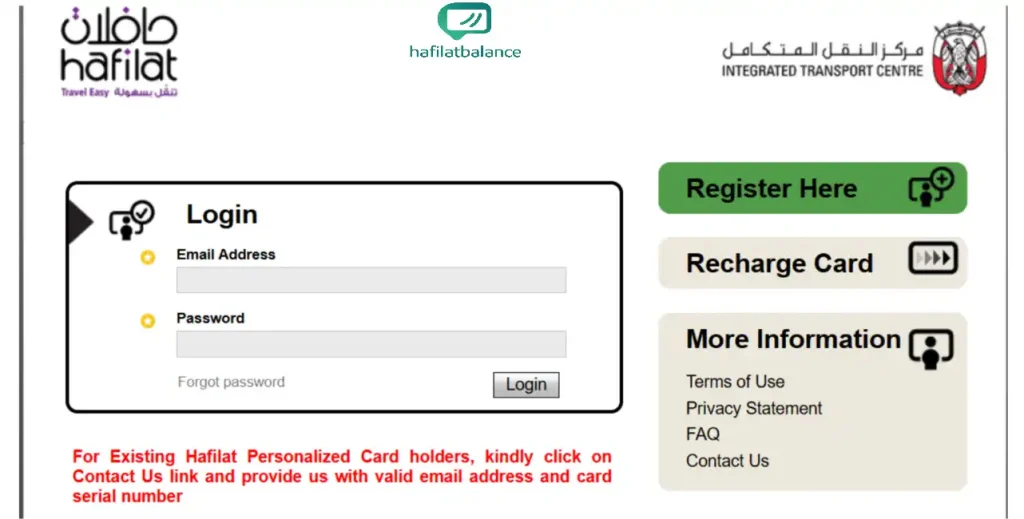
Open the Official Hafilat / ITC Services Page

Navigate to hafilat.darb.ae in any browser. Always verify the HTTPS padlock and the exact domain before entering any card details. This is the only official ITC online services portal for Hafilat card management.

The hafilat.darb.ae homepage showing the official ITC online services interface
2

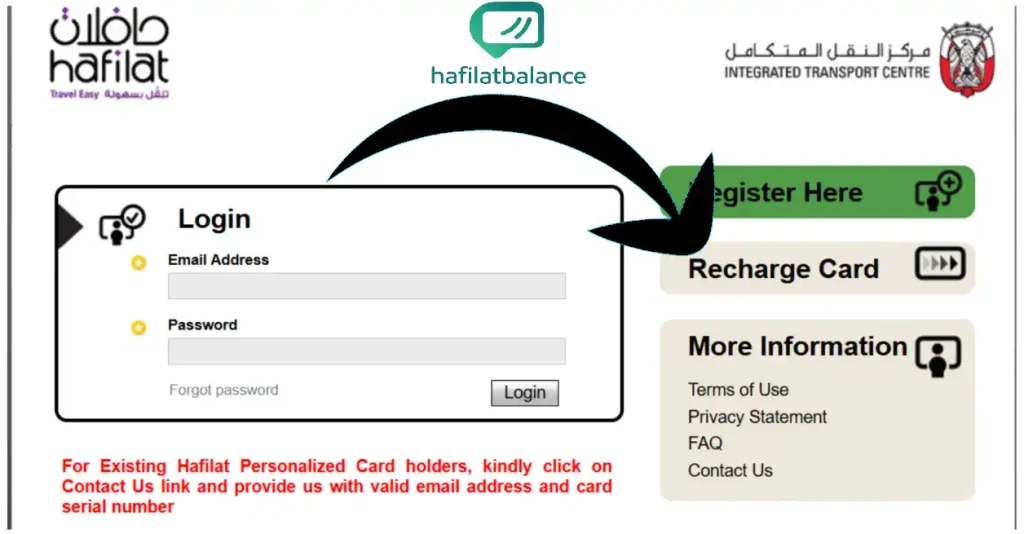
Choose Balance Enquiry or Recharge

The portal homepage presents two primary actions: Balance Enquiry for a read-only view of your remaining credit, and Recharge if you want to add funds in the same session. Select whichever matches your intent.

Hafilat portal screen showing Balance Enquiry and Recharge options
3

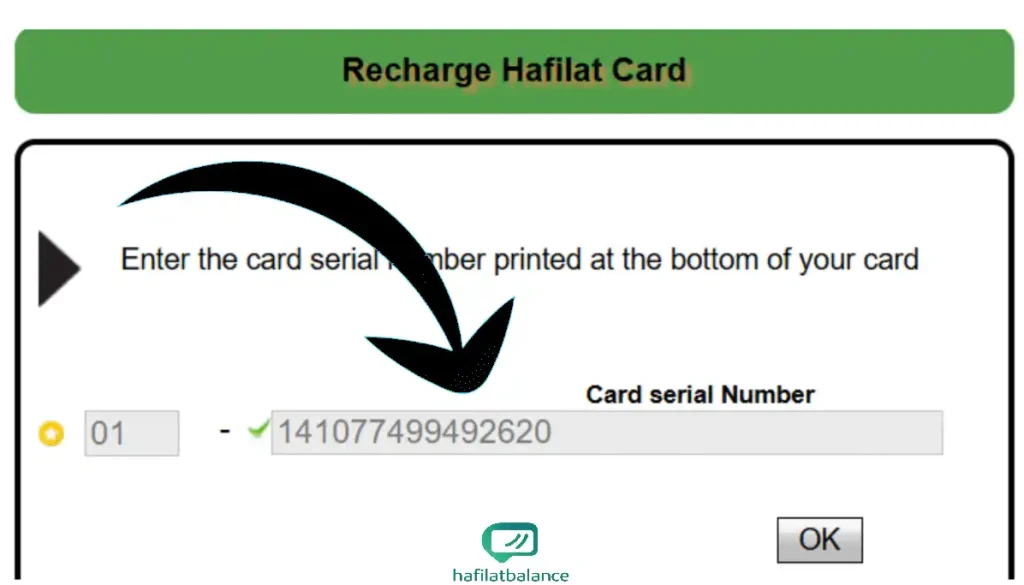
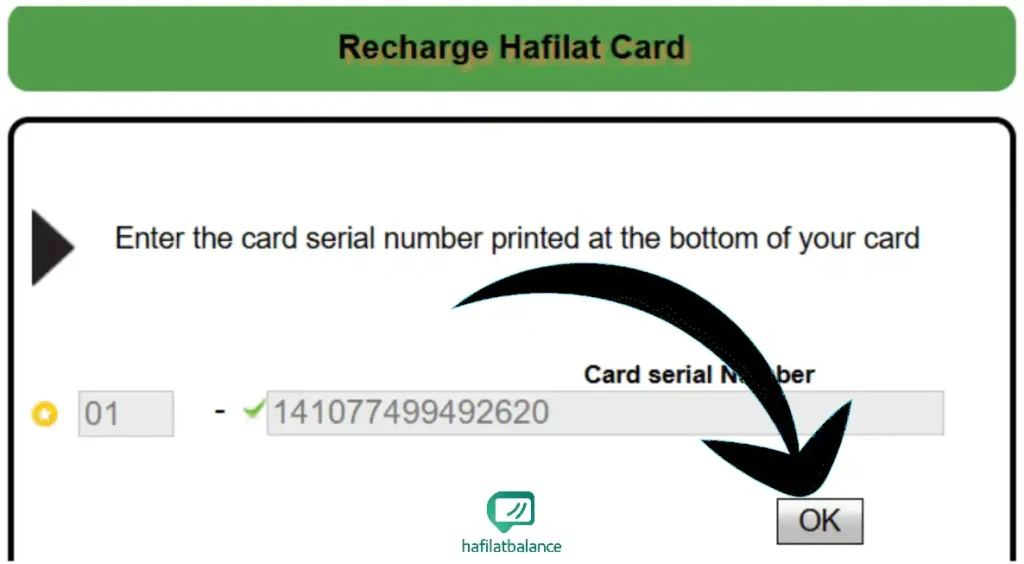
Enter Your 16-Digit Card Serial Number

Type the serial exactly as printed on the back of your card — 16 characters with no spaces. Pay close attention to digits that can be confused: the number 0 (zero) and the letter O look similar. An incorrect serial returns "card not found" even if your card is perfectly valid.

Entering the 16-digit Hafilat card serial number into the ITC portal
4

Click Check or OK

Confirm your entry and submit the form. The portal processes the serial against the live ITC database and returns the card's current status — active, blocked, or dormant — along with the available balance.

Clicking the Check button on the Hafilat online balance portal
5

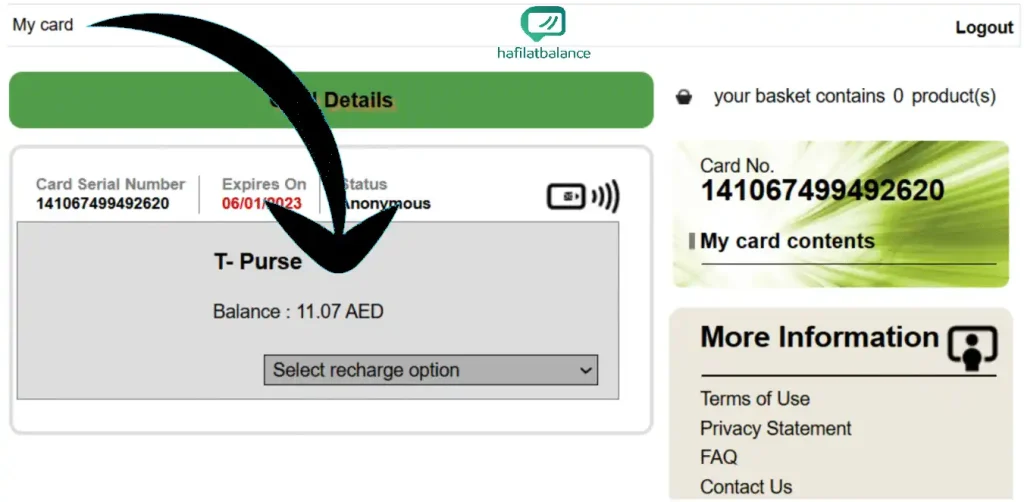
View Your Balance

Your remaining credit in UAE Dirhams (AED) appears on screen. If you see pending credit, it means a recent online top-up hasn't synced to the card chip yet — tap a bus validator once before your next journey to complete the synchronisation.

Hafilat card balance displayed on the ITC online portal
Quick recharge link: To top up online, go directly to TAMM Abu Dhabi — Topup Hafilat Card. You can check your balance and add credit in the same session.

Check Balance in the Darb App (Step by Step)

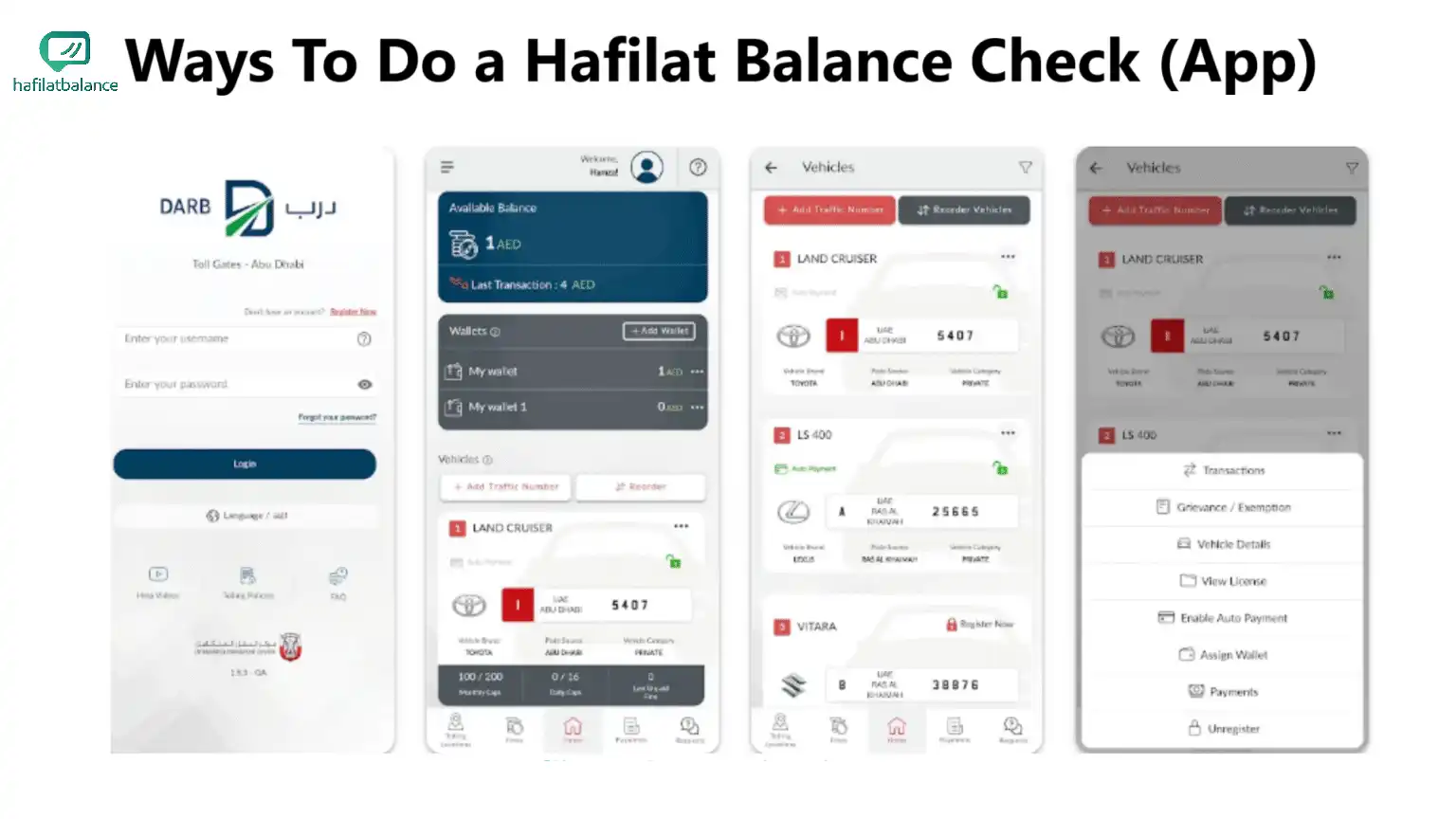
The Darb app is the most convenient way to manage your Hafilat card on a daily basis. Once your card is linked, balances update automatically and you can recharge without visiting a machine.

  1. Install and open Darb — available on the App Store and Google Play. Sign in or create a free account using your email or UAE mobile number.
  2. Add your Hafilat card — navigate to My Cards ? Add Card and enter the printed serial number from the back of your card.
  3. View your balance — return to My Cards to see the current AED balance displayed under each linked card. Households can add multiple cards and label them to avoid mix-ups.
  4. Top up in-app — tap Recharge / Top Up, select an amount, and pay by debit or credit card. Mobile wallet options may be available depending on your device and bank.
  5. Enable low-balance alerts — so you get notified before your credit dips too low to board.
Step-by-step Hafilat balance check in the Darb app showing My Cards screen with AED balance
Tip: After any online recharge, tap the bus validator once before boarding to sync the pending credit from the Darb system to your physical card chip. Keep the in-app payment confirmation until you see the updated balance.

Is hafilat.darb.ae the Official Hafilat Website?

Yes. Hafilat is the Abu Dhabi public transport card operated by the Integrated Transport Centre (ITC). Its official online services are delivered through the Darb platform at hafilat.darb.ae, and through the Darb mobile app. That is where you log in to view your balance, recharge, and review transaction history.

hafilat.pages.dev is an independent user guide — we are not ITC, Darb, or Hafilat, and we never ask for or store your card number. Always enter card details only on hafilat.darb.ae or through the official Darb app. Never share your full card serial with unverified third-party websites or social media channels.

Households can add multiple cards in a single Darb account. Label each card — for example "Dad," "Student," or "Daily Commute" — to avoid accidentally recharging the wrong one. Pair this with on-card stickers that match the app labels for a friction-free routine.
Hafilat Recharge: All Your Options

There is no separate "recharge login" beyond the official portals. Every method routes through ITC's Darb infrastructure.

Online / App Recharge

Sign in to the Darb app or hafilat.darb.ae, select your card, choose an amount, and pay by debit/credit card. Do one validator tap after recharging online to activate the pending credit on your card chip.

Station Machine Recharge

Insert cash or tap a supported bank card at the machine. Choose an amount, confirm, and keep the printed receipt until you verify the updated balance on a bus validator. New credit is usually active immediately.

Retail & Service Counters

Hand your physical card to an authorised cashier, confirm the recharge amount, and verify the new balance on a machine or validator before leaving the counter. Some locations are cash-only; others accept bank cards or mobile wallets.

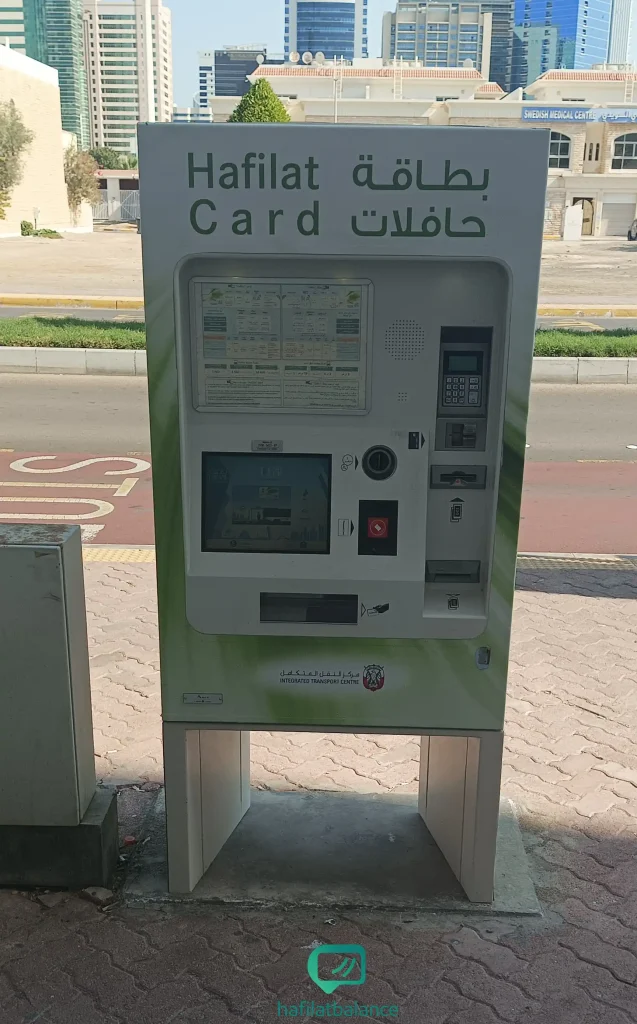
Hafilat ticket vending and balance inquiry machine at an Abu Dhabi bus station

Station Machines Explained

Abu Dhabi bus stations have two types of self-service machines: ticket vending machines for purchasing bus tickets and balance inquiry machines that display your Hafilat card credit. Many newer machines combine both functions.

Payment methods vary by machine model — most accept cash notes and coins while newer installations also support contactless bank card payments. Always collect the printed receipt as proof until the validator confirms the new amount.

Find Machines Near Me ?
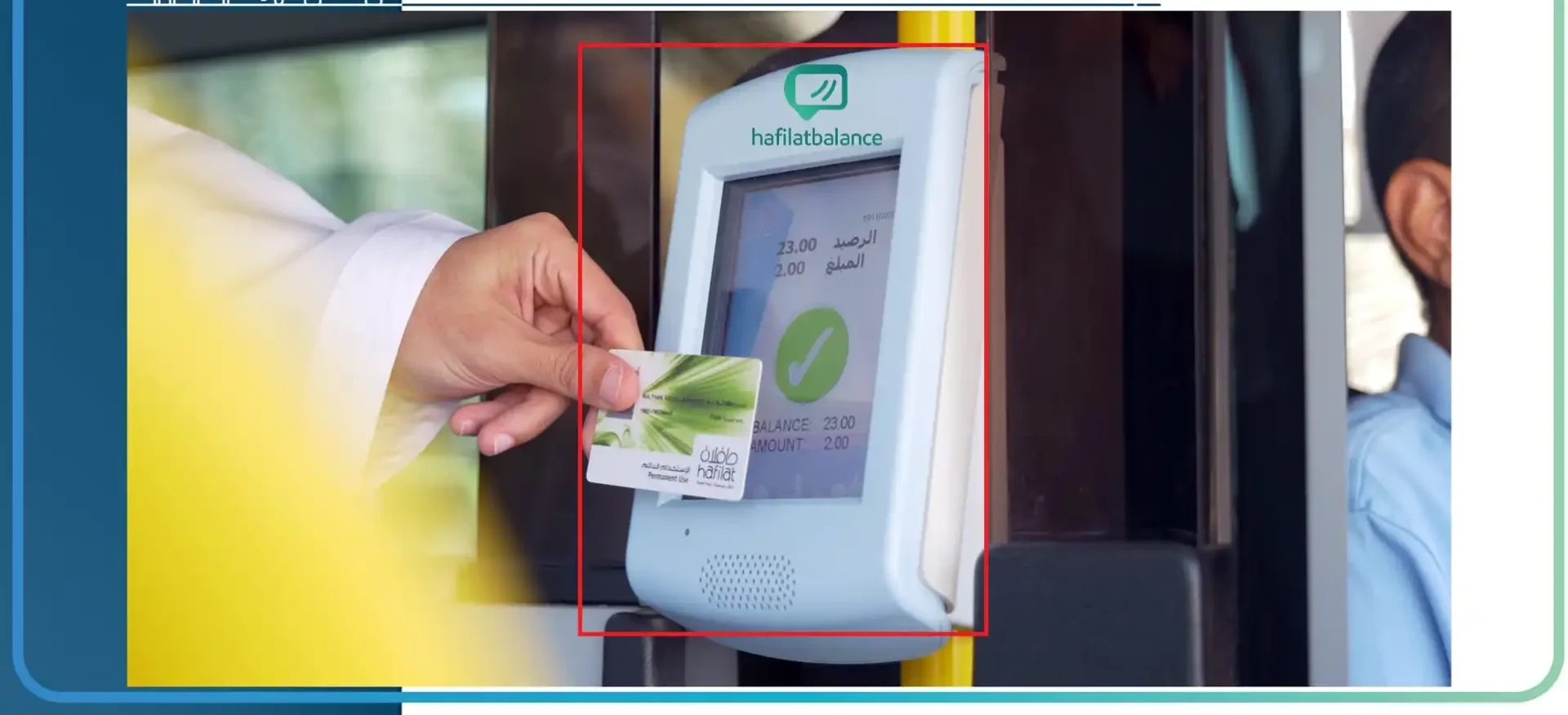
Hafilat card tap on Abu Dhabi bus validator showing remaining balance

On-Bus Validators

When you board a bus, tap your Hafilat card on the validator at the door. The device deducts the fare and briefly displays your remaining balance on its screen. This is useful for a fast final check but doesn't allow recharging.

The validator tap is also the critical step after an online recharge — it forces the card chip to pull the pending credit from the ITC backend and apply it to your stored value.

Full Recharge Guide ?

How to Check Your Hafilat Transaction History

To review past journeys and top-ups, sign in to the Darb app or hafilat.darb.ae, open your card details, and look for History, Transactions, or Trip Details. The log shows individual fare deductions with dates and times, along with each recharge record.

Transaction history is particularly useful for:

  • Confirming a fare was charged correctly after an unexpected low-balance notice
  • Verifying that an online top-up posted against your card on the expected date
  • Checking usage across multiple family cards if you manage them under one account

Station machines display only the current balance — they do not show a historical log. For full transaction detail, the Darb app or web portal is the only option provided by ITC.

Hafilat Card Validity & Card Types

Knowing which card type you hold determines how you manage your credit and what happens if you don't use it for a while.

Prepaid Silver Card

The standard pay-as-you-go Hafilat card. Load credit and each fare is deducted when you board. Best for occasional riders. The card itself doesn't expire with regular use, but prolonged inactivity can render it dormant — reactivation at a machine or service centre may be needed, so bring valid ID.

Daily / Weekly / Monthly Passes

Time-based passes loaded onto your Hafilat card provide unlimited rides within the purchased validity window. Ideal for frequent commuters who travel multiple times per day. Passes expire at the end of their period regardless of how many trips you took.

Concession Cards

Students, senior citizens, and People of Determination may be eligible for discounted fares through ITC's official concession programme. Applications are handled at customer service centres with valid ID documentation. Check hafilat.darb.ae for current eligibility criteria and required documents.

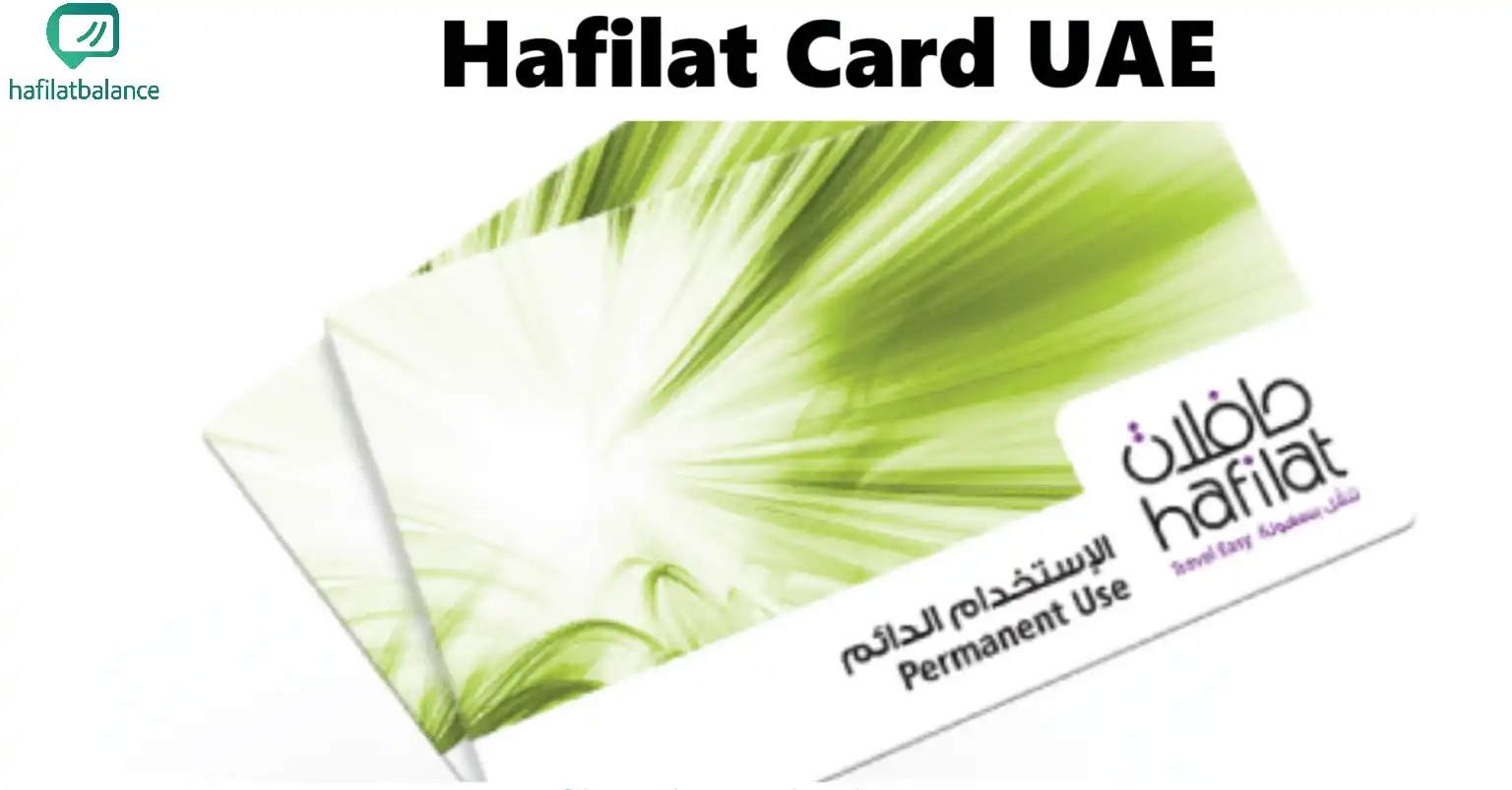
Hafilat prepaid card used on Abu Dhabi public buses  —  Silver card design

Abu Dhabi Bus Card — Same Hafilat System

When riders search for "Abu Dhabi bus card balance check" or "Al Ain bus card balance," they are looking for the Hafilat card — it is one unified system. The ITC Darb platform serves bus networks across Abu Dhabi city, Al Ain, and inter-emirate routes under the same card infrastructure.

This means every method described on this page applies equally whether you travel in central Abu Dhabi, the Al Ain region, or on routes connecting both cities. The same Darb app account, hafilat.darb.ae portal, station machines, and bus validators work across the entire network.

Related searches covered by these methods: UAE bus card balance check · Abu Dhabi public transport card · Darb card balance · ITC card recharge · Al Ain bus card top-up.

Common Issues & Fixes

Most Hafilat card problems have a straightforward resolution. Here are the situations riders encounter most often.

Recharge Shows "Pending"

Wait a few minutes after the online payment confirms, then tap a bus validator or station machine. The single tap forces the card chip to pull the credit from the ITC backend. If still unresolved after 24 hours, contact Darb support via the app with your payment transaction reference number.

Card Not Found / Not Recognised

Double-check the serial for the zero-vs-O confusion. Try a different validator or machine, and clean the card's NFC surface gently with a dry cloth. Persistent read errors that follow the card across multiple devices often indicate a damaged chip — visit a customer service centre for diagnostics and potential free replacement.

Long-Unused Card Inactive

Cards unused for an extended period may require reactivation at a station machine or ITC customer service centre. Bring a valid Emirates ID or passport. If stored credit has been affected, the service representative can advise on recovery options per ITC's current terms of service.

Balance check number — no SMS exists: There is no universal SMS code that remotely reads your Hafilat balance. Anyone offering such a service is not affiliated with ITC. Never share your full card number with unofficial channels. For official support, use the call centre number listed inside the Darb app.

حافلات أبوظبي — كيفية التحقق من رصيد بطاقة حافلات

للتحقق من رصيد بطاقة حافلات في أبوظبي، يمكنك استخدام إحدى الطرق الأربع التالية: تطبيق درب (Darb) من App Store أو Google Play — أضف رقم البطاقة الرسمي واعرض الرصيد فوراً. أو قم بزيارة الموقع الرسمي hafilat.darb.ae وأدخل الرقم التسلسلي للبطاقة ضمن خيار "استعلام عن الرصيد". كذلك يمكن التحقق عن طريق أجهزة محطات الحافلات بوضع البطاقة على الجهاز أو إدخالها. وأخيراً، عند الصعود إلى الحافلة، لامس البطاقة على جهاز التحقق لمعرفة الرصيد بشكل مختصر.

لا يوجد رقم رسائل SMS رسمي لمعرفة الرصيد عن بُعد. لإعادة الشحن: سجّل الدخول إلى تطبيق درب، اختر بطاقتك، حدد المبلغ وادفع بالبطاقة البنكية. بعد الشحن عبر الإنترنت، المس البطاقة على جهاز التحقق مرة واحدة قبل السفر لتفعيل الرصيد المضاف. هذا الموقع دليل مستقل وغير تابع لـ ITC أو Darb — أدخل تفاصيل البطاقة فقط على المواقع الرسمية.

Choose Your Method by Situation

Not sure which approach to use right now? Match your current situation to the optimal method.

Your Situation Best Method Why It Works
You check balance every morning Darb App Instant view + recharge in one place, no movement required
Already at a bus station Station Machine Displays balance, prints receipt, recharge option available
Just topped up online Validator Tap on Bus Forces immediate sync of pending credit to the card chip
Buying for a family member Retail Counter Staff assistance available; cash accepted at many locations
Card acting up or chip error Customer Service Centre On-site diagnostics and replacement handled by ITC staff
No phone signal, no app Station Machine Fully offline; works from the card chip alone

Hafilat Balance Check — FAQs

The Darb app is the most convenient option — add your card serial under My Cards and your balance appears instantly without any further steps. If you prefer not to use an app, visit hafilat.darb.ae, tap a station machine, or briefly tap a bus validator when boarding.
No — there is no official SMS code or shortcode that remotely reads your Hafilat card balance. ITC has not provided any such service. For telephone support, use the call centre number listed in the Darb app settings. Never share your full card serial with unofficial channels.
Yes — it is the official ITC/Darb portal for Abu Dhabi public transport card services. This site (hafilat.pages.dev) is an independent user guide and has no affiliation with ITC, Darb, or the Abu Dhabi government.
No separate recharge portal exists. To top up online, sign in to the Darb app or hafilat.darb.ae with your registered account, select your card, choose an amount, and complete payment. There is no other official login page for Hafilat card recharging.
Sign in to the Darb app or hafilat.darb.ae, open your card's detail page, and navigate to History / Transactions. You will see a log of recent fare deductions, recharges, and dates. Station machines show only the current balance — not a transaction log.
Prepaid (Silver) cards remain active with regular use but can become dormant after extended inactivity and may need reactivation at a machine or ITC counter — bring valid ID. Time passes (daily, weekly, monthly) expire at the end of their purchased validity period regardless of unused trips.
Yes. The Abu Dhabi public transport card and the Al Ain bus card are both the Hafilat card, managed through the same ITC/Darb system. All balance-checking and recharge methods described on this page apply across all routes in both cities.
Online top-ups are processed in the ITC backend but the credit doesn't write to the physical card chip until the card communicates with an ITC terminal. A single tap on a bus validator or station machine triggers this sync. If the balance still hasn't updated after that, wait a few minutes and try again — then contact Darb support with your payment reference if the issue persists.

Everything About Your Hafilat Card

Explore our in-depth guides covering the Darb app, machine locations, recharge methods, and where to get a new card.